
Getting IPTV on Samsung Smart TV is straightforward once you know which app to use and how to load your channel list. This guide walks you through the whole process — from picking the right player to watching live TV in minutes. Samsung is one of many great devices for IPTV, and if you ever want to branch out, our complete IPTV device setup guide covers the rest.
Table of Contents
By the end, you’ll have a working setup on your Samsung TV, know which apps perform well on Tizen OS, and know exactly what to do if something doesn’t load right.
Can You Install IPTV Apps Directly on a Samsung Smart TV?
Not really — and knowing why saves you real frustration. Samsung Smart TVs run Tizen OS, a closed system that doesn’t let you sideload APK files the way a Firestick or Android TV box does.
Your only official route is the Samsung App Store, and it has very limited IPTV options. Smart IPTV (SIPTV) has appeared there historically, but availability shifts by region and TV model. The best IPTV player apps for Samsung and other smart TVs simply aren’t in Samsung’s storefront. Samsung’s official Smart TV app guidance makes this clear: if an app isn’t in their store, it isn’t going on your TV directly.
The good news is there are three solid workarounds: using a plug-in streaming device, screen mirroring from your phone, and SIPTV if it’s available in your region. This guide covers all three.
Method 1: Use a Streaming Stick or Box Plugged Into Your Samsung TV (Recommended)
Plugging a streaming device into your Samsung TV’s HDMI port is the most reliable way to run IPTV on Samsung Smart TV. It gives you full Android app access, including TiviMate, IPTV Smarters, and GSE Smart IPTV — none of which are available natively on Tizen OS.
An Amazon Firestick 4K, Nvidia Shield, or Android TV box all work well. Each supports M3U playlists and Xtream Codes, which is exactly how VoxiCast delivers your subscription. Picture quality goes up to 4K depending on your device and plan.
Step-by-Step: Setting Up IPTV on Samsung TV via Fire TV Stick
- Plug the Firestick into an HDMI port on your Samsung TV, connect the USB power cable, and switch the TV input to that HDMI source. Follow Amazon’s official Fire TV Stick setup steps to get the device online quickly.
- Connect to your Wi-Fi network during the Firestick’s initial setup screen.
- Enable Apps from Unknown Sources if you plan to sideload an app. Go to Settings > My Fire TV > Developer Options and toggle it on. Or skip this and search the Amazon Appstore directly for IPTV Smarters.
- Download your chosen IPTV player — TiviMate and IPTV Smarters are both solid picks for smart TV streaming.
- Open the app and enter your credentials. VoxiCast sends your M3U URL and Xtream Codes by email within about two minutes of signup. See how to connect your IPTV service using M3U or Xtream Codes for a full walkthrough of that step.
- Load your channels, pull up the EPG guide, and start watching.
Step-by-Step: Setting Up IPTV on Samsung TV via Android TV Box
Already own an Android box? This path costs nothing extra. Connect it to your Samsung TV via HDMI, then head to the Google Play Store and install TiviMate, IPTV Smarters Pro, or GSE Smart IPTV. Enter your VoxiCast M3U or Xtream Codes credentials to load your full channel list and VOD library.
Most Android boxes handle 4K and Dolby audio without breaking a sweat, so the picture and sound can genuinely rival a cable box. If you don’t own one yet, they’re an affordable one-time buy — and VoxiCast’s free 24-hour trial means you can test the whole setup before spending a cent on a subscription.
Method 2: Cast IPTV from Your Phone or Tablet to Samsung TV
You can stream IPTV on your Samsung TV right now without buying any extra hardware. Samsung TVs support screen mirroring through SmartThings, AirPlay 2 (on 2018 models and newer), and Chromecast-compatible casting, so both Android and iPhone users are covered.
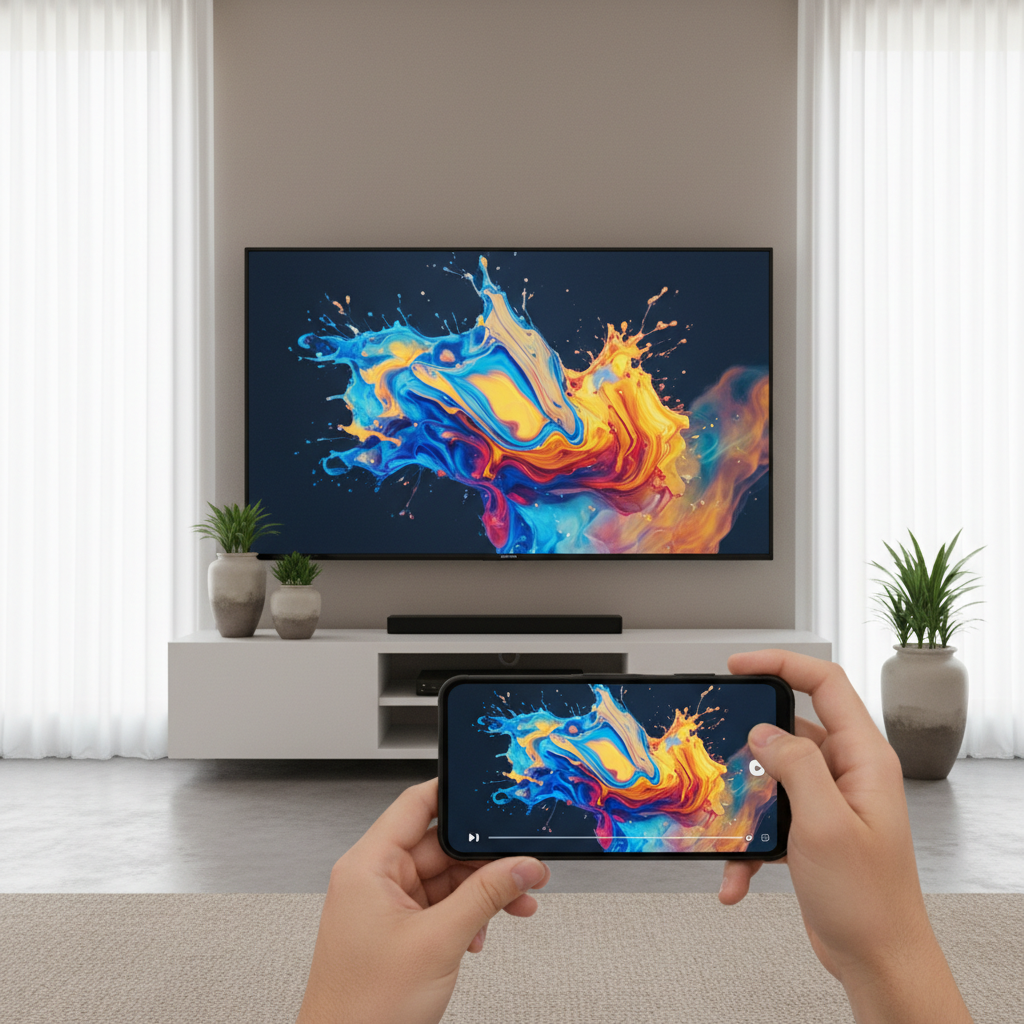
On an iPhone or iPad, open your VoxiCast app, swipe down for Control Center, tap Screen Mirroring, and select your Samsung TV. AirPlay 2 makes this genuinely easy, and VoxiCast’s iOS support means your stream loads fast with no extra steps.
Android users can mirror through the SmartThings app or use the built-in screen cast from the notification shade. Select your TV, open your IPTV player, and the picture appears on the big screen within seconds. For the smoothest experience, connect both devices to a 5GHz Wi-Fi network — it cuts lag noticeably.
Method 3: Use the Samsung TV’s Built-In App (Limited Option)
Some Samsung Smart TVs running Tizen OS have Smart IPTV (SIPTV) available directly in the Samsung app store. Open Smart Hub, search for “Smart IPTV”, install it, then paste your M3U URL into the activation page on the SIPTV website from any phone or computer.
It works, but the experience shows its limits fast. EPG support is thin, VOD browsing is clunky, and compatibility varies by firmware version. Older Tizen builds sometimes refuse to load channels at all. The Samsung browser method is worse, slow, prone to crashes, and no EPG. Skip it entirely.
SIPTV is the most practical native option, but it still falls short of a dedicated player. For real picture quality, full EPG, and smooth VOD access with IPTV on Samsung Smart TV, pairing your TV with a streaming stick running TiviMate or IPTV Smarters is the smarter call. Choosing the best IPTV service to use on your Samsung TV first makes every method work better.
What to Look for in an IPTV Service for Samsung TV
A good IPTV subscription does five things well: delivers enough channels, keeps the picture sharp, stays online, covers live sports, and makes it easy to get started. Here’s how to judge any service before you pay.
Channel count matters, but variety matters more. Look for tens of thousands of live channels covering local US networks, international options, and niche categories, not just inflated numbers. VoxiCast carries 40,000+ live channels, each with full EPG so you always know what’s on.
Your Samsung’s 4K panel deserves a signal that matches it. Confirm the service offers streams from SD through 4K. For sports fans, dedicated servers handling Premier League, NFL, NBA, UFC, and PPV events without blackouts are non-negotiable.
Reliability separates good services from frustrating ones. Antifreezing technology and 99.9% uptime keep streaming smooth, check the FCC’s broadband speed guide to make sure your connection holds up its end. VoxiCast delivers your M3U link within minutes of signup, backs everything with 24/7 support, a 10-day money-back guarantee, and a free 24-hour trial so you can test it on your Samsung before spending a dollar.
Best IPTV Player Apps to Use on Samsung TV (via Streaming Device)
The app you pick shapes how you browse channels, not how well they stream. Quality and uptime come from your provider, not the player.
TiviMate
Most cord-cutters land here first, and for good reason. TiviMate’s Android TV app listing confirms it’s built specifically for remote-control navigation, with full M3U and Xtream Codes support, a clean EPG grid, and catch-up TV. It’s the top pick among the best IPTV player apps for Samsung and other smart TVs used via a Firestick or Android TV box.
IPTV Smarters Pro
A friendlier interface for anyone new to IPTV. It handles multiple playlists cleanly and works on both Firestick and Android TV, good if different family members want separate setups.
GSE Smart IPTV
The strongest cross-platform option, especially if you cast from an iPhone or iPad to your Samsung screen.
All three accept VoxiCast’s M3U and Xtream Codes credentials instantly. Try VoxiCast free for 24 hours before committing to test whichever player feels right.
Troubleshooting Common IPTV Issues on Samsung TV
Most problems with IPTV on Samsung Smart TV come down to three things: your internet connection, a typo in your credentials, or a quick app fix. Here’s how to sort each one fast. For a deeper look, see how to fix IPTV buffering on your TV.
Buffering or freezing. Your connection needs at least 25 Mbps for HD streams. Switch from 2.4GHz to 5GHz Wi-Fi, or plug in an ethernet adapter for the most stable experience.
Channels not loading. Double-check your M3U URL or Xtream Codes, one wrong character breaks it. VoxiCast emails those credentials within minutes of signup, so pull up that email and copy-paste rather than typing manually.
EPG not showing. Open your player’s settings and confirm the EPG URL field is filled in. VoxiCast includes EPG data on every plan.
No sound or picture. Check your HDMI cable and make sure your Samsung TV input matches the correct HDMI source.
Privacy preference. A VPN works fine alongside VoxiCast if you want an extra layer of privacy on your home network.
Frequently Asked Questions
Can you download IPTV apps directly on a Samsung Smart TV?
Not really. Samsung’s Tizen OS doesn’t support sideloading APKs, and the official Samsung app store has very few IPTV options worth using. The most reliable fix is plugging a Firestick or Android TV box into your Samsung TV’s HDMI port. That gives you full access to premium IPTV player apps and a service like VoxiCast without fighting the TV’s built-in limitations.
Which IPTV app is best for Samsung Smart TV?
The best experience comes from pairing a Firestick or Android TV box with TiviMate or IPTV Smarters Pro, then connecting it to a solid IPTV subscription. VoxiCast sends your M3U link and Xtream Codes credentials by email within about two minutes of signing up, and both work with all major player apps. Grab the 24-hour free trial to test the full setup before spending a dollar.
Is IPTV legal in the United States?
IPTV technology itself is completely legal and powers many mainstream streaming services you already know. Paid subscriptions like VoxiCast are legitimate services. The key is choosing a reputable paid provider rather than chasing unlicensed streams. A paid service gives you reliable uptime, real customer support, and a trustworthy experience from day one.
Can I get IPTV on my smart TV without extra hardware?
Some Samsung TVs support Smart IPTV through the app store, and screen mirroring from a phone is another option. Both work, but they come with real limitations in features, EPG support, and reliability. For full picture quality, a proper electronic program guide, and access to tens of thousands of live channels and VOD titles, a dedicated streaming stick paired with VoxiCast is the smarter move.
What is the best IPTV service to use on a Samsung TV in 2025?
Look for high channel counts, full EPG, 4K streams, dedicated sports servers, and strong uptime. VoxiCast checks every one of those boxes: 40,000+ live channels, 54,000+ VOD titles, 99.9% uptime, antifreezing technology, and instant M3U and Xtream Codes delivery. Plans start at $24.99, and a 24-hour free trial lets you test everything on your actual setup before you commit.
How do I enter my IPTV credentials on a Samsung TV setup?
After signing up for VoxiCast, your M3U URL and Xtream Codes credentials arrive by email in minutes. Open your IPTV player app on the Firestick or Android TV box connected to your Samsung TV, navigate to “Add Playlist” or “Add Account” depending on the app, paste in your credentials, and your full channel list and EPG load automatically within seconds.
Does IPTV work well on Samsung 4K TVs?
It works great. VoxiCast offers streams in SD, HD, FHD, and 4K, so your Samsung 4K display won’t go to waste. Pair it with a 4K-capable streaming stick like the Firestick 4K Max, select a 4K stream inside your IPTV player, and you’re pulling the full resolution your TV was built for. The picture quality difference on a big screen is immediately obvious.
Final Thoughts
Setting up IPTV on Samsung Smart TV is straightforward once you know the right approach. Plug in a Firestick or Android TV box, open TiviMate or IPTV Smarters, drop in your M3U link or Xtream Codes, and you’re watching in minutes.
VoxiCast sends your login details by email within about two minutes of signing up, no waiting around. Tens of thousands of live channels, a massive VOD library, and dedicated sports servers all land on your living-room screen without a cable box in sight. Try VoxiCast free for 24 hours and see exactly what your Samsung TV has been missing.