
The best IPTV player apps in 2026 are TiviMate, IPTV Smarters Pro, and XCIPTV — and picking the right one makes a real difference in how your streaming experience feels. A great service can still frustrate you if the app is clunky, slow, or missing features you actually need.
This guide breaks down each player honestly: what it does well, where it falls short, and which type of viewer it suits best. You’ll also find setup tips and answers to the questions people ask most before settling on one.
Table of Contents
Choosing your player is just one piece of the puzzle. If you’re still working out how to get everything running on your TV or Firestick, our complete IPTV device setup guide covers the full process from start to finish.
What Makes a Great IPTV Player App in 2026?
Four things separate a solid IPTV player from a frustrating one: EPG support, connection format compatibility, buffer handling, and a clean interface. Get all four right and watching live TV feels effortless. Miss one and you’ll spend more time troubleshooting than watching.
EPG (Electronic Program Guide) support gives you a real TV grid showing what’s on now and what’s coming up — without it, you’re scrolling blind through channel lists. Equally important is whether the app accepts both M3U links and Xtream Codes, the two standard formats IPTV services use to deliver your channels. A player that only handles one cuts your options in half. To understand how those formats work together, see how M3U playlists and Xtream Codes connect your IPTV service.
Buffer handling matters more than most people realize. Even on a fast connection, a poorly built player will stutter on HD streams. Check the FCC’s broadband speed guide for baseline speed requirements, but know that your player’s buffering engine is what actually smooths out the dips. The best iptv player apps handle this in the background without you touching a setting.
Here’s the part most guides skip: the app is only half the equation. A great player running on a weak IPTV subscription still drops streams. VoxiCast delivers both an M3U link and Xtream Codes within about two minutes of signup, so you’re ready to plug into any top player immediately.
TiviMate: The Gold Standard for Android IPTV
TiviMate is the go-to IPTV player for Android TV and Firestick, and it earns that reputation every day. The interface is clean, remote navigation is smooth, and it handles large channel lists without breaking a sweat. TiviMate’s official Google Play listing confirms the headline features: catch-up TV, multiview, recording, and parental controls, all in one app.
TiviMate Setup in Under 3 Minutes
Install TiviMate from the Google Play Store or the Amazon Appstore on your Firestick. Open it, tap Add Playlist, then choose either Xtream Codes or M3U URL. VoxiCast emails both formats within about two minutes of signup, so you just copy and paste. Add your EPG source on the same screen and you’re done. For a full walkthrough, the step-by-step TiviMate configuration guide has you covered.
Features That Matter Daily
Multi-screen view lets you monitor four channels at once — genuinely useful on match days. Catch-up lets you rewind live TV if you missed a goal or a key play. The favorites list keeps your go-to channels one click away, and parental controls lock specific channels behind a PIN for families.
Free vs. Premium
The free version covers basic playback. TiviMate Premium, a one-time purchase, unlocks multiview, catch-up, and recording. For daily use, Premium is worth it without question.
IPTV Smarters Pro: Best for Multi-Device Households
IPTV Smarters Pro is the strongest pick if your household runs a mix of devices. One person on an iPhone, another on a Fire TV, a third on a Samsung Smart TV — Smarters handles all of it under one roof.
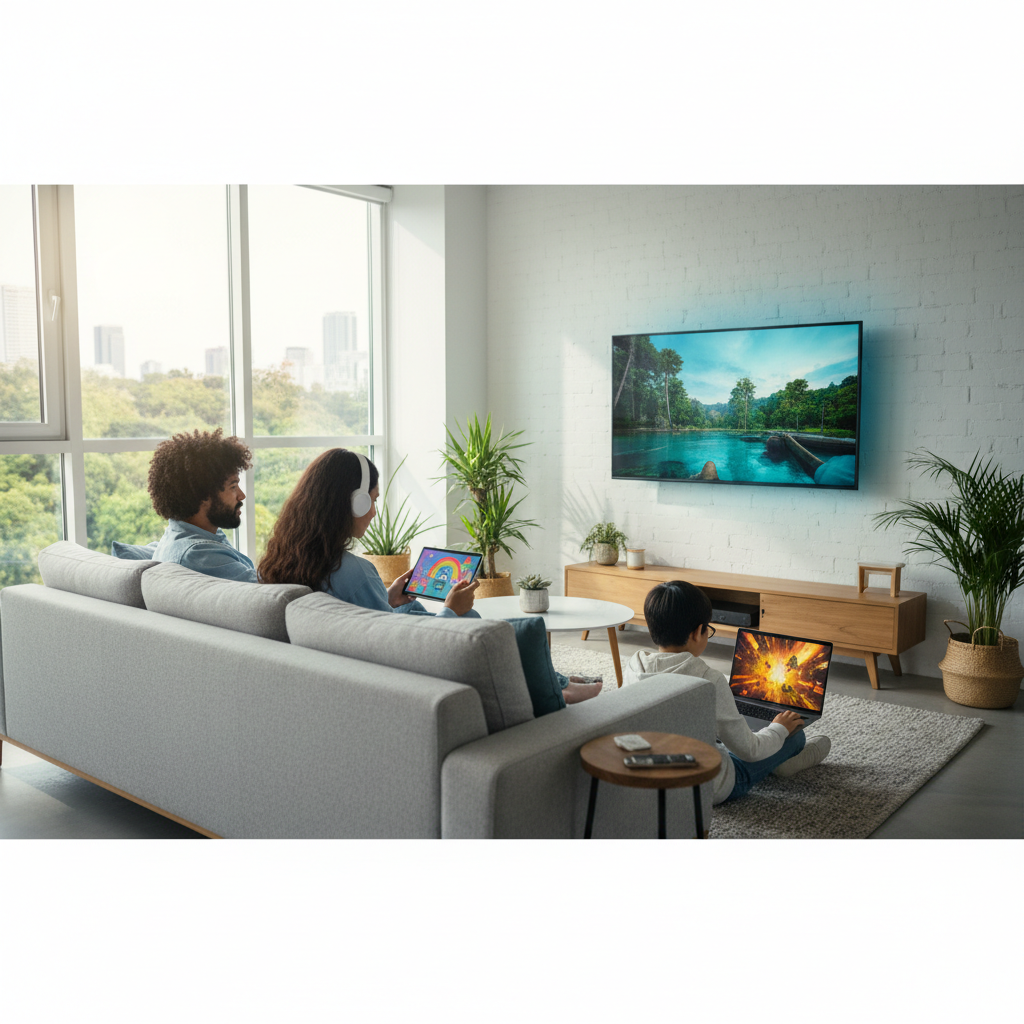
The app runs on Android, iOS, PC, and most Smart TVs. If you’re on an Apple device, check out Smarters Player Lite’s App Store listing — it supports both M3U playlists and Xtream Codes login. For a full walkthrough of adding your credentials, see how to add your subscription in IPTV Smarters Pro.
Adding VoxiCast is straightforward either way. Choose Xtream Codes and paste in your credentials, or drop in your M3U URL — both arrive by email shortly after signup. The app then pulls in your full channel list, EPG grid, VOD library, and series organizer automatically.
Multi-profile support is where Smarters earns its place in a busy home. Each person gets their own favorites and watch history. The free version covers the basics, but the Pro upgrade adds a cleaner EPG grid and better VOD browsing, worth it for anyone watching regularly. Once you’re set up, see how to get the best HD and 4K streaming quality from IPTV to squeeze the most out of every stream.
Other Top IPTV Player Apps Worth Considering
TiviMate and IPTV Smarters cover most people, but the best IPTV player apps for your setup depend on your device and how hands-on you want to get. Here are four solid alternatives worth knowing.
GSE Smart IPTV
If you’re on an iPhone, iPad, or Apple TV, GSE Smart IPTV is the go-to pick. It accepts both M3U links and Xtream Codes directly, so your VoxiCast credentials drop right in without any workarounds.
Kodi with PVR IPTV Simple Client
Kodi gives you deep customization and works across almost every platform. The learning curve is real, it’s built for users who enjoy tinkering. VoxiCast’s M3U link loads cleanly through the PVR add-on. For a broader look at flexible player options, VideoLAN’s VLC feature list shows why VLC also handles IPTV streams well as a lightweight fallback.
Perfect Player
Perfect Player is a lean, fast app built for Android. Older Fire tablets or budget Android boxes run it without a hitch. Paste your VoxiCast M3U link and you’re watching in minutes.
OTT Navigator
OTT Navigator is the strongest Android TV alternative to TiviMate. The EPG layout is sharp, Xtream Codes setup is straightforward, and the interface holds up well on a big screen. Worth a look if TiviMate’s price puts you off.
IPTV Player App Comparison: Side-by-Side Breakdown
TiviMate wins for most people, but the right app depends on your device and how much setup you want to deal with. Here’s how the main players stack up.
| App | Best Devices | EPG Support | Xtream Codes / M3U | Free or Paid | Setup Ease | Best For |
|---|---|---|---|---|---|---|
| TiviMate | Firestick, Android TV, Nvidia Shield | Yes | Both | Free + paid upgrade (~$5/yr) | Easy | Most cord-cutters; setup takes minutes |
| IPTV Smarters Pro | Firestick, iPhone, iPad, Android | Yes | Both | Free | Very easy | Mixed-device households; strong iOS option |
| GSE Smart IPTV | iPhone, iPad, Apple TV | Yes | Both | Free + in-app | Easy | Apple device households |
| OTT Navigator | Android TV, Smart TV | Yes | Both | Free + paid | Moderate | Samsung/LG Smart TV users who want a polished UI |
| Perfect Player | Android TV, Firestick | Yes | M3U only | Free | Moderate | Minimalists who prefer a simple grid layout |
| Kodi | Almost everything | With add-ons | With add-ons | Free | Complex | Tinkerers comfortable configuring add-ons manually |
The best iptv player apps are only as good as the service feeding them. A weak provider means buffering no matter which app you pick. VoxiCast works with every app in this table, your M3U link and Xtream Codes arrive by email so you can be up and running within minutes of signing up.
Why Your IPTV Subscription Matters More Than Your Player App
Your player is just a window. What you’re actually watching comes from your provider’s servers, and a weak provider means buffering, frozen screens, and dead channels, no matter how polished the app. Getting the player right is step one. Getting the service right determines your actual experience.
A solid IPTV service needs four things: a large, accurate channel lineup with working EPG, reliable uptime, strong server infrastructure for live sports, and real support when something goes wrong. Most budget providers cut corners on all four.
VoxiCast covers every one of them. You get 40,000+ live channels with full EPG, 54,000+ VOD movies and series, and streams in SD, HD, FHD, and 4K. Antifreeze technology keeps playback smooth when network conditions dip, and 99.9% uptime means your channels are there when you sit down to watch. Support runs 24/7 if you ever need a hand.
Sports fans get dedicated servers built specifically for high-demand events, PPV fights, Premier League, NFL, NBA, UFC, with zero blackouts. When tens of thousands of people are watching the same match, dedicated sports servers are what keep your stream running clean. That’s the part a generic provider almost always fails on.

Plans start at $24.99 for three months with no contract and a 10-day money-back guarantee. If you want to test VoxiCast with whichever app you’ve chosen from this guide, the 24-hour free trial is the obvious starting point.
How to Connect VoxiCast to Any IPTV Player App
Setup takes about three steps. Sign up or start the free trial, and VoxiCast emails your M3U URL and Xtream Codes credentials within roughly two minutes. Open your chosen player, TiviMate, IPTV Smarters Pro, XCIPTV, whatever you picked, paste those credentials in, and your channels load automatically.
If you’re setting up on a Firestick, Fire TV app download instructions walk you through finding and installing your player before you add the subscription. Device setup and subscription activation are completely separate, so you can handle both at your own pace. A VPN isn’t required, but it’s fully compatible if you prefer one. And if anything snags, 24/7 support is there to walk you through it.
Frequently Asked Questions
Which is the best IPTV player app in 2026?
TiviMate is the top pick for most users, its polished guide, 4K playback, and remote-friendly layout are hard to beat on Android TV and Firestick. If you need multiple devices running at once, IPTV Smarters Pro handles that better. Either way, pair your chosen app with VoxiCast and you get the full picture.
What is the best IPTV player for Firestick?
TiviMate edges ahead on Firestick. The interface was practically built for a remote, big channel tiles, smooth EPG scrolling, and catch-up TV that actually works. IPTV Smarters Pro is a solid second if you prefer a more familiar layout. VoxiCast delivers your Xtream Codes login by email within about two minutes of signup, so setup on either app is done before your coffee cools.
Does IPTV Smarters Pro work with any IPTV subscription?
Yes. IPTV Smarters Pro accepts any M3U URL or Xtream Codes login, so it works with virtually every IPTV provider. VoxiCast sends both formats instantly on signup, no waiting, no manual configuration headaches. VoxiCast’s 1-3 connection plans also line up neatly with Smarters’ multi-screen support, so a household of two or three can each watch something different at the same time.
Is TiviMate free or do I need to pay for it?
TiviMate has a free version, but it limits you to one playlist and no catch-up. The Premium version unlocks multiple playlists, multi-screen viewing, and full catch-up TV, worth every cent for serious viewers. Before you spend anything, grab VoxiCast’s 24-hour free trial and test the whole setup first. You’ll know within an hour whether TiviMate Premium is worth adding.
What should I look for in an IPTV service to use with these player apps?
Focus on four things: a large channel lineup with accurate EPG data, stream quality up to 4K, reliable uptime, and real customer support. VoxiCast checks every box, 40,000+ live channels, streams up to 4K, 99.9% uptime with antifreeze technology, dedicated sports servers with zero blackouts, and 24/7 support. A 24-hour free trial lets you verify all of it before you commit.
Can I use these IPTV player apps on a Smart TV?
Absolutely. IPTV Smarters Pro and GSE Smart IPTV both run on Samsung and LG Smart TVs directly. TiviMate works on any Android TV-based set, including Nvidia Shield. VoxiCast supports all of those platforms, plus Firestick, Apple TV, iPhone, iPad, and PC.
Is using a paid IPTV subscription with these apps legal and safe?
A legitimate paid IPTV subscription is a legal service, the same as any other streaming platform you pay for. VoxiCast is a premium provider with transparent pricing, a 10-day money-back guarantee, and 24/7 support. VPN use is optional and fully supported if you prefer extra privacy, but it’s not required.
Final Thoughts
Picking from the best IPTV player apps really comes down to your setup. TiviMate is the go-to for Android TV and Firestick users who want a polished, TV-first experience. IPTV Smarters Pro is the most flexible across devices. XCIPTV is a solid pick if you want something clean and low-maintenance. Any of the three will handle your M3U link or Xtream Codes from VoxiCast without a hitch.
The smartest move is to test before committing to anything long-term. You can try VoxiCast free for 24 hours before committing, load it into whichever app you’re leaning toward and see exactly how it performs on your TV, phone, or tablet. No guesswork, no risk. If it works for you, plans start at $24.99 for three months with no contract.