
Learning how to set up IPTV takes about ten minutes once you know the steps, and this guide walks you through every one of them. You’ll get the full picture: what IPTV actually is, which apps work best, and exactly how to get live TV running on your Firestick, Android TV, Samsung Smart TV, or whatever screen you’re sitting in front of right now.
Table of Contents
IPTV delivers live channels and on-demand video over your internet connection instead of a cable box or satellite dish. You subscribe to a provider, get a link (called an M3U or Xtream Codes URL), paste it into a player app, and your channels load. That’s the whole process in one sentence.
This guide covers the best player apps — TiviMate, IPTV Smarters, XCIPTV — plus step-by-step setup instructions for the most popular devices. It also explains what to look for in a provider so you’re not wasting money on something that buffers every five minutes.
What Is IPTV and How Does It Work?
IPTV stands for Internet Protocol Television. Your provider sends the stream directly to your device over your internet connection, and you watch it in real time or on demand — no cable wire, no satellite dish required.
Most IPTV services offer three types of content. Live channels work exactly like traditional TV, just streamed over the internet. VOD libraries let you pick movies and series whenever you want. Time-shifted TV lets you rewind or catch up on broadcasts you missed — handy for sports replays.
To connect your app to an IPTV service, you’ll use one of two formats. An M3U playlist is a simple link your app loads to pull in all available channels. Xtream Codes is a login-based format (a server URL, username, and password) that tends to be more stable and easier to manage. A quality provider pairs those formats with a built-in program guide (EPG), reliable uptime, and support across multiple devices.
IPTV vs. Cable TV: Why More People Are Switching
Cable locks you into a box, a contract, and a bill that keeps climbing. IPTV delivers live TV and on-demand content over your internet connection, on the devices you already own, for a fraction of the price.
Nielsen’s streaming viewership milestone confirmed what cord-cutters already knew: streaming officially overtook combined broadcast and cable viewing in 2025. The shift is real, and the reasons aren’t hard to see.
| Feature | Cable TV | VoxiCast IPTV |
|---|---|---|
| Monthly cost | $80–$150+ | From $24.99 (3 months) |
| Contract required | Yes, often 1–2 years | No contract, ever |
| Live channels | Hundreds | 40,000+ |
| VOD library | Limited | 54,000+ movies & series |
| Picture quality | HD cap on most plans | SD, HD, FHD, and 4K |
| Devices | Cable box only | Fire TV Stick, Android TV, Google TV, Samsung Smart TV, and more |
| Sports blackouts | Common | Dedicated sports servers, zero blackouts |
For sports fans especially, dedicated servers covering the NFL, Premier League, and PPV events without blackouts is the detail that seals it. Apps like TiviMate and IPTV Smarters make the whole experience feel polished on any screen. VoxiCast plans start at $24.99 and include a 24-hour free trial so you can see the difference before you spend a dollar.
What You Need Before You Set Up IPTV
Before you touch any app or settings menu, three things determine whether your IPTV setup works well or drives you crazy: your internet speed, your device, and your provider. Get these right first and the rest is straightforward.
Internet Speed
SD streams need around 5 Mbps. HD bumps that to 10–15 Mbps, and FHD or 4K streams want 25–50 Mbps or more. Check the FCC’s broadband speed guide for a full breakdown by resolution. If other people in your house are streaming or gaming at the same time, add their usage on top of yours.
Compatible Devices
IPTV runs on almost anything. Firestick and Android TV boxes are the most popular starting points. You can also set up IPTV on a Samsung Smart TV without any extra hardware. Roku is compatible too, though it takes one extra step since Roku doesn’t support third-party IPTV apps directly.
Choosing a Provider
A paid subscription with solid uptime, anti-freezing technology, and real customer support is non-negotiable. VoxiCast covers all of that: 99.9% uptime, antifreeze tech built in, 24/7 support, and a 24-hour free trial so you can test everything before committing. A VPN is optional but adds a useful layer of privacy on any network.
Best IPTV Player Apps to Use in 2026
An IPTV player app is just the screen you watch through — completely separate from your subscription. Think of it like a TV set: the app is the hardware, your IPTV service supplies the channels.
IPTV Smarters Pro is the most popular starting point. It accepts both M3U links and Xtream Codes, runs on Firestick, Android, and iOS, and has a clean enough layout that most people figure it out in minutes.
TiviMate is the one serious cord-cutters tend to stick with. It’s built specifically for Android TV and remote-control navigation — TiviMate’s Google Play listing spells out exactly why it handles big-screen use better than anything else. The EPG grid alone is worth it.
GSE Smart IPTV covers Apple devices well, iPhone, iPad, and Apple TV, where TiviMate doesn’t reach. VLC is free and universal; it’s great for testing an M3U link before committing to a full setup. For Samsung and LG Smart TVs, the Smart IPTV app (installed via the TV’s app store) is the go-to option. For a broader look at what’s available, our guide to the best IPTV player apps in 2026 covers every major option with honest comparisons.
VoxiCast sends your M3U link and Xtream Codes by email within about two minutes of signup, so you can paste them straight into whichever app you choose.
How to Set Up IPTV on Firestick and Fire TV
The Fire TV Stick is the most popular device for IPTV, and the process to set up IPTV on Firestick takes about ten minutes once you have your credentials.
Step 1: Allow Apps from Unknown Sources
Go to Settings → My Fire TV → Developer Options and turn on Apps from Unknown Sources. This lets you sideload apps that aren’t in the Amazon store.
Step 2: Install a Player App
Search for Downloader in the Fire TV app store and install it. You can follow Amazon’s official Fire TV app installation steps if you get stuck. Then use Downloader to grab the IPTV Smarters or TiviMate APK. If you go with TiviMate, our guide on how to configure TiviMate for IPTV walks you through every setting.
Step 3: Enter Your VoxiCast Credentials
Open the app and choose Add Playlist via Xtream Codes. Paste in the server URL, username, and password from your VoxiCast email, which arrives within two minutes of signing up. Your channels and EPG load automatically.
Tips for the Best Experience
A wired ethernet adapter beats Wi-Fi every time on Fire TV. If you hit buffering, restart the app first. VoxiCast’s antifreeze technology handles most hiccups before you even notice them.
How to Set Up IPTV on Android TV and Google TV
Android TV and Google TV run on the same foundation, but they’re not identical. Android TV (found on Nvidia Shield and many Sony or TCL sets) gives you full Google Play Store access. Google TV (Chromecast with Google TV, newer Sony models) layers a different interface on top and occasionally restricts which apps appear in search results.
To install IPTV on Android TV, open the Play Store and search for TiviMate or IPTV Smarters directly, both install in seconds. For TiviMate, add a playlist, paste your VoxiCast M3U URL, and the EPG loads automatically. If you’d rather add your subscription in IPTV Smarters Pro, the Xtream Codes login option is the fastest route: just enter the server URL, username, and password from your VoxiCast email.
On Google TV, those apps may not surface in a standard search. Check Google’s app installation steps for Google TV first. If the app still doesn’t appear, use the Downloader app to sideload the APK the same way you would on a Firestick.
Once you’re in, set up your favorites list so live sports and local channels sit at the top. Parental controls are buried in the app settings menu, worth five minutes if kids share the TV. Nvidia Shield owners get the best result here: VoxiCast’s 4K streams pair well with the Shield’s processing power for a genuinely sharp picture. A two-connection plan lets a second family member watch on a tablet at the same time.
How to Set Up IPTV on Samsung and LG Smart TVs
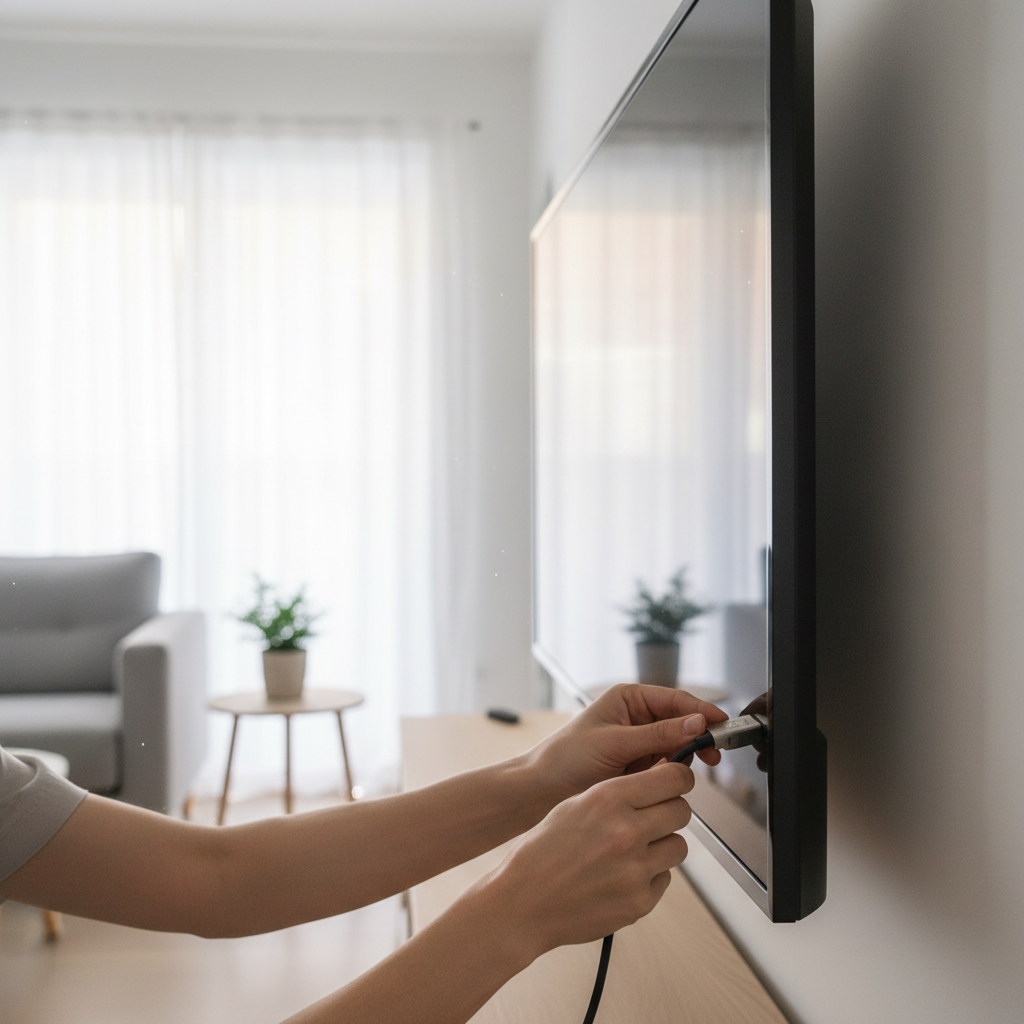
You can watch IPTV directly on your Samsung or LG smart TV without plugging in any extra hardware. Both platforms have dedicated apps that accept your M3U link and get you up and running in minutes.
Samsung (Tizen OS)
Open the Samsung App Store and search for Smart IPTV or SS IPTV. Install either one, then paste your VoxiCast M3U URL into the app’s settings. Samsung’s Smart TV app installation guide walks you through the store if you’ve never installed a third-party app before. Once your URL loads, your channel list populates automatically.
LG (webOS)
Head to the LG Content Store, search Smart IPTV, and install it. Load your M3U link the same way. VoxiCast works on both platforms without any extra configuration.
When the Native App Isn’t Enough
Native smart TV apps are convenient, but they lack the guide layouts and features you get with a dedicated player like TiviMate. If you want that level of control, plug a Firestick into your TV’s HDMI port instead, it gives you the widest app selection and the best overall performance. If an app isn’t in your TV’s store, an external stick solves it immediately.
How to Set Up IPTV on iPhone and iPad
Setting up IPTV on an iPhone or iPad takes about five minutes. Grab your VoxiCast credentials from your signup email and you’re ready to go.
Install an App and Add Your Playlist
Head to the Apple App Store and download either IPTV Smarters Pro or GSE Smart IPTV, both are solid choices and among the best IPTV player apps available on iOS. Open the app, tap to add a new playlist, and choose either M3U URL or Xtream Codes login. Enter the server details VoxiCast sends to your inbox and your channels load automatically.
A Few Tips for Mobile Streaming
On Wi-Fi, you can comfortably stream HD or FHD. On cellular, drop to SD to keep your data bill sane. VoxiCast’s antifreeze technology helps a lot on patchy connections too. If you’re setting up IPTV service across the whole household, multi-connection plans let someone watch on an iPhone while the living room TV runs simultaneously. For picture quality tips after setup, check out our guide on optimizing your IPTV streaming quality.
How to Set Up IPTV on PC and Mac
Your computer is one of the best IPTV setups you can build, and most guides skip it entirely. A big monitor, a keyboard, and a wired ethernet connection make for a genuinely great viewing experience.
VLC Media Player (Quickest Option)
VLC works on both Windows and Mac with zero extra installs. Open it, go to Media > Open Network Stream, paste your VoxiCast M3U URL, and hit Play. You’re watching live TV in about thirty seconds.
IPTV Smarters Web or Kodi (Better EPG)
For a full channel guide and VOD browsing, IPTV Smarters Web runs straight in your browser using your Xtream Codes login. Kodi with the IPTV Simple Client plugin is another strong pick if you want a well-organized interface for tens of thousands of channels. Both make it easy to explore VoxiCast’s deep VOD library on a large screen, which is where that collection really shines.
One Performance Tip
Plug in via ethernet before streaming 4K. Wi-Fi handles HD fine, but a wired connection keeps 4K rock-solid. Check the internet speed requirements for IPTV if you’re unsure your connection is ready.
Troubleshooting Common IPTV Setup Problems
Most IPTV issues come down to three things: a shaky internet connection, a typo in your credentials, or a misconfigured app setting. Fix those first and you’ll solve about 90% of problems before ever contacting support.
Buffering and Freezing
Switch to a wired ethernet connection if you’re on Wi-Fi, that alone clears up buffering on most Firestick and Android TV setups. VoxiCast’s antifreeze technology and dedicated servers handle the heavy lifting on the provider side, but your home network still needs a stable path to reach them.
Channels Not Loading or Black Screen
Double-check your M3U URL or Xtream Codes credentials in TiviMate or IPTV Smarters, one wrong character breaks the whole connection. A black screen on a specific channel usually means a resolution mismatch; drop the quality setting one step and it typically clears right up.
EPG Not Showing
Go into your app’s EPG settings and confirm the guide URL is enabled. VoxiCast includes EPG with every plan, so if the guide is blank, the URL just needs to be toggled on.
App Crashing
Clear the app cache, check for updates, and reinstall if the problem persists. If you’re still stuck, VoxiCast’s 24/7 support team can walk you through it fast.
Is IPTV Legal? What You Need to Know
IPTV technology is completely legal. Major broadcasters, cable companies, and streaming platforms all deliver video over the internet the same way.
The legal question isn’t about the technology, it’s about authorization. The U.S. Copyright Office’s explanation of unauthorized streaming makes clear that retransmitting content without the rights holder’s permission can infringe copyright. That’s the line between a legitimate paid service and a shady free one.
You’ll find plenty of “iptv setup free” searches and threads pointing to free providers. Some of those streams are unlicensed, and using them puts you in murky territory. A paid service like VoxiCast operates differently, you’re paying for legitimate access, the same basic model as any subscription you already use. A VPN is optional, but it’s a reasonable privacy layer on any internet connection if you prefer it. The simplest way to stay on solid ground: pick a reputable paid provider, skip the free underground streams, and enjoy your content without second-guessing it.
Why VoxiCast Is the Right Service to Use With This Guide
Every setup step in this guide works with VoxiCast out of the box. Your M3U link and Xtream Codes arrive by email within about two minutes of signing up, so you can drop straight into TiviMate, IPTV Smarters, or XCIPTV without any waiting around.
The channel library covers 40,000+ live channels and 54,000+ VOD titles in SD, HD, FHD, and 4K. Sports fans get dedicated servers for Premier League, NFL, NBA, UFC, and PPV fights with zero blackouts, no scrambling for a working stream on game day. Plans carry no contracts, and a 10-day money-back guarantee backs every one of them.
It runs on every device this guide covers: your Fire TV Stick, Android TV box, Samsung Smart TV, iPhone, and PC. Whatever screen you set up first, VoxiCast works on it. To connect your service using M3U or Xtream Codes, the credentials are right there in your signup email, paste and go.
Frequently Asked Questions
How do I set up my own IPTV?
You need three things: a compatible device (Firestick, Android TV box, Smart TV, phone, or PC), an IPTV player app like IPTV Smarters or TiviMate, and a subscription from a reliable provider. With VoxiCast, your M3U link and Xtream Codes credentials land in your inbox within about two minutes of signing up. Enter those into your app and you’re watching in under five minutes. Grab the 24-hour free trial to test it before you commit to anything.
Is watching IPTV legal in the US?
IPTV as a technology is completely legal, major broadcasters and cable companies use it every day. The distinction that matters is using a legitimate paid service rather than an unlicensed one. VoxiCast is a paid subscription service, so you’re accessing content through a proper provider. That’s the straightforward, responsible way to watch live TV and on-demand content over the internet.
Do you have to pay monthly for IPTV?
Not necessarily, most quality providers offer flexible billing cycles. VoxiCast offers 3-month, 6-month, and 12-month plans starting at $24.99, with no contracts locking you in. You can switch plans or walk away at any time. There’s also a 10-day money-back guarantee and a 24-hour free trial, so you have two separate safety nets before you spend a dollar you’d regret.
How do you get IPTV on your TV?
There are two solid routes. If you have a Samsung or LG Smart TV, you can install an IPTV app directly from the built-in app store. Alternatively, plug a Firestick or Android TV stick into any TV’s HDMI port and install your IPTV player there. The streaming stick route gives you the widest app selection and the best overall performance, so that’s the one worth recommending for most households. Either way, enter your VoxiCast credentials and you’re live.
Which IPTV player app is best for Firestick?
IPTV Smarters Pro and TiviMate are the top two picks. IPTV Smarters is free to install and easy enough for first-timers to figure out in minutes. TiviMate has a cleaner interface, a more detailed program guide, and extra features that regular IPTV users tend to appreciate. Both work perfectly with VoxiCast’s M3U and Xtream Codes delivery. The Firestick setup section earlier in this article covers the step-by-step process.
Can I use IPTV on multiple devices at the same time?
Yes. VoxiCast plans support one, two, or three simultaneous connections depending on which plan you pick. That means your household can have the game on the living room Firestick, a show streaming on an iPhone, and something else running on a laptop, all at once, all on the same account. Use the free trial to confirm everything runs smoothly across your devices before you choose a plan.
Do I need a VPN to use IPTV?
No, a VPN is not required. VoxiCast runs on any standard home internet connection without one. Some users add a VPN for personal privacy on public or shared Wi-Fi, and that’s a valid personal choice, but it’s optional, not essential. You’ll get a smooth experience either way, backed by 99.9% uptime and antifreeze technology on VoxiCast’s end.
Final Thoughts
Now you know how to set up IPTV from start to finish. Pick your device, install a good player app like TiviMate or IPTV Smarters, paste in your M3U link or Xtream Codes, and you’re watching live TV in minutes. No complicated hardware, no satellite dish, no long-term contract tying you down.
The setup is genuinely straightforward once you have a reliable service behind it. That’s the part that matters most. A solid provider with real uptime, dedicated sports servers, and tens of thousands of channels makes every step you followed in this guide actually worth it. A bad one wastes your time no matter how perfectly you configure the app.
VoxiCast gives you a full day to find that out for yourself before spending a cent. You can try VoxiCast free for 24 hours, test it on your Firestick or Smart TV, flip through live sports and on-demand titles, and see exactly what you’re getting. Your M3U link arrives by email within about two minutes of signing up. If it’s not the right fit, you’ve lost nothing. If it is, plans start at $24.99 for three months with a 10-day money-back guarantee as a safety net.